Domain tooling for support teams
See how a domain is really set up
Type a domain name and see its DNS records, certificate, mail setup and registration straight away — with explanations you can forward to a customer.
For example
No account needed. Every check is free.
Tools
Checks that together tell one story about a domain.
All tools
Domain health
One check covering DNS, mail and certificates
WHOIS
Find out who is behind a domain, IP address or ASN
Blacklist
See whether an IP address has been reported for abuse
DNS propagation
See which resolvers already have your DNS change
Delegation
Check the nameservers themselves, not the records
DNSSEC
Check that the signatures on a domain add up
SPF
Unfold an SPF record and count its lookups
DMARC
Read the policy, the reports, and what to publish next
DKIM
Find the signing keys and check they still work
Certificate issuance
Work out why a certificate will not issue
Redirects
Follow every hop a browser makes
SSL
Look at the certificate a site is serving right now
Website preview
See the live site, with a quick quality check
Mail test
Send us a test message and see how it scores
Mail headers
Paste a message and read the route it travelled
GDPR
Mask addresses before you share a screenshot
Passwords
Create a strong password in one click
SSL tools
Make a CSR, or check that a key and certificate match
Secrets
Share a password through a link that works once
Monitoring
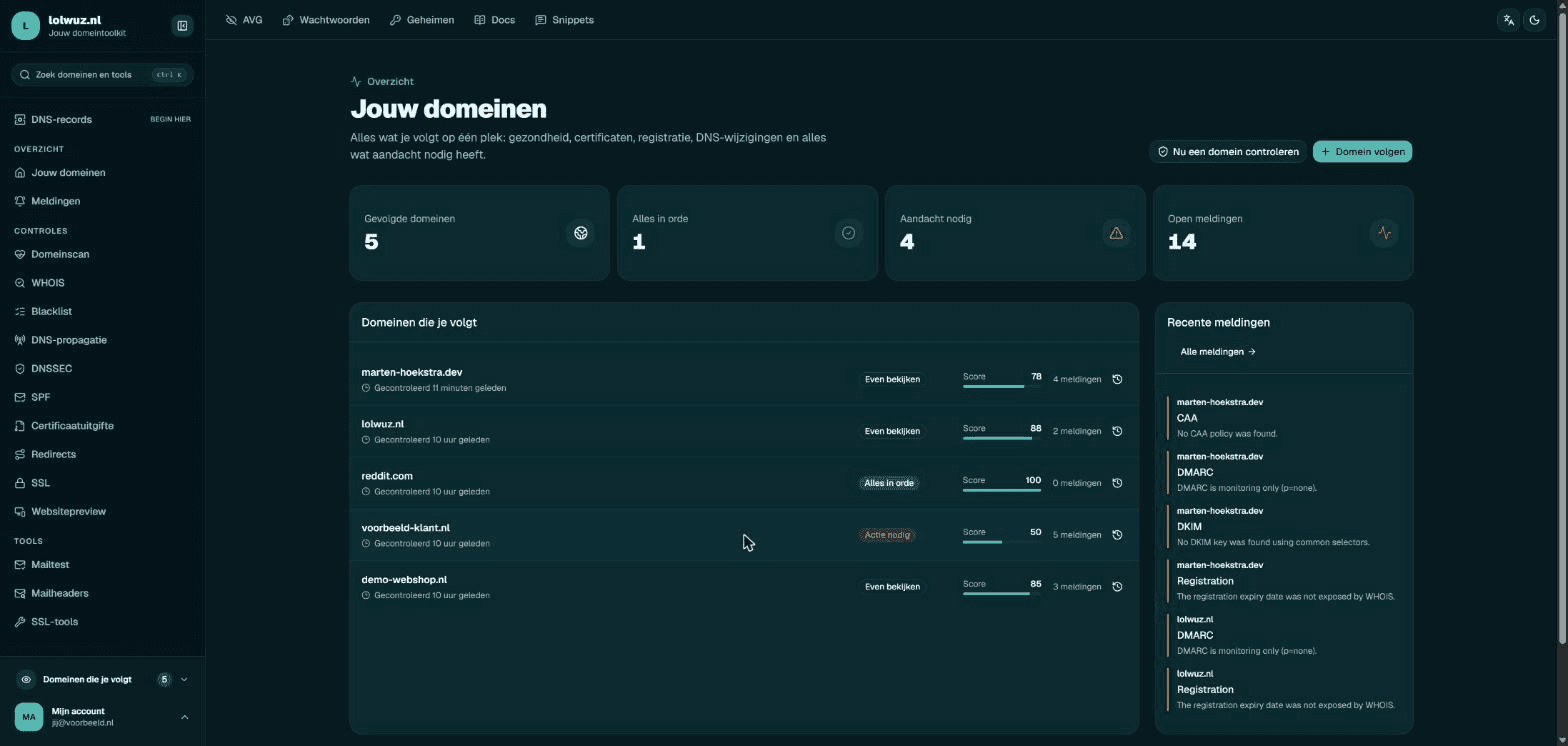
Follow the domains you manage and hear about it when something changes.
Mark a domain as followed and it gets re-checked on the interval you pick — anywhere from every hour to every two days. After every check you get a Slack message with the current picture, and anything new lands on your overview.
See your findings- Checks from every hour to every two days, with a configuration score per domain
- Findings that close themselves once they are in place
- Shareable, read-only reports for customers and colleagues
Workspace
Support answers and documentation where you are already looking.
Access
What you need depends on what you want to do.
Start with a domain name.
Most support questions start with one domain and a customer with a question about it. Paste the name above and work outwards from there.